
Solutions › Embedded Edge AI › Warehouse QC

Warehouse QC

Embedded Edge AI · One camera, one photo, a decision before the tray moves on

A camera above the line checks a whole tray from a single photo: every item counted, every barcode read and matched to the order, and a pass or a hold on the screen beside it. The model runs on a small computer on site, so the answer comes back straight away and the pictures never leave the building.

Runs on hardware on your premises. The footage stays where it was taken.

The warehouse QC model, end to end: a tray arrives, one photo is taken, seven items are counted, seven barcodes are read, and the order passes. Then the next tray comes in on its own. Sound on for the narration.

One at a time.

Today, every item is scanned, one at a time. Someone picks each product off the tray, finds the barcode, turns it to the scanner and puts it back. It is slow, it gets slower with every line on the order, and because it depends on a person doing it perfectly every time, miscounts still reach customers.

The mistakes are ordinary ones, and none of them is anybody being careless:

An item skipped. Two products look alike, one goes unscanned, and the tray still looks full.

An item scanned twice. The beep did not register, so it was scanned again, and the count is now one higher than the tray.

The right product, the wrong size. A 250 g pack where the order said 1 kg. Same brand, same colours, different barcode.

No record of what actually left. When a customer says something was missing, there is a scan log to argue with and nothing to look at.

 
Hand scanning
One photo
Checked per action
One item
The whole tray
Time per tray
Grows with every item
One photo, whatever the count
Count and barcodes
Separate, if counted at all
Both, from the same photo, side by side
A mismatch is found
Often by the customer
At the station, before dispatch
What is kept
A list of scans
The photo, the count and the reads, together
Needs the internet
Depends on the system
No; it runs on site

Comparison of method, not a benchmark. Throughput on your line is measured during the site survey, on your trays.

Five steps

In this order, on every tray. None of them is optional, and each one is recorded against the photo it came from.

Arrive

The tray rolls under the camera. Nobody presses anything.

Photograph

One picture of the whole tray, from above. Not one scan per item.

Count

Green boxes: every product found and numbered.

Read

Yellow marks: every barcode read and matched to an order line.

Decide

Count and barcodes agree with the order: pass. Anything else: hold.

Green boxes: items counted. Every product on the tray gets a box and a number, so the count is something you can see on the screen, not a total you have to take on trust.

Yellow marks: barcodes read. Each barcode is read from the same photo and checked against the order, line by line, so a 250 g pack cannot stand in for a 1 kg one.

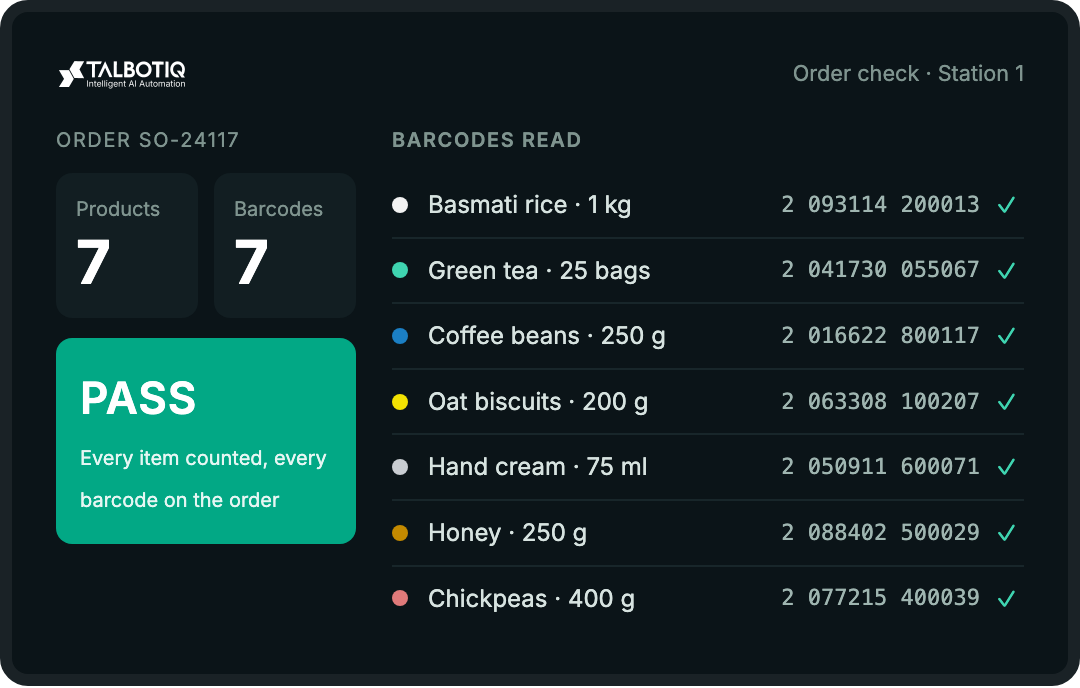
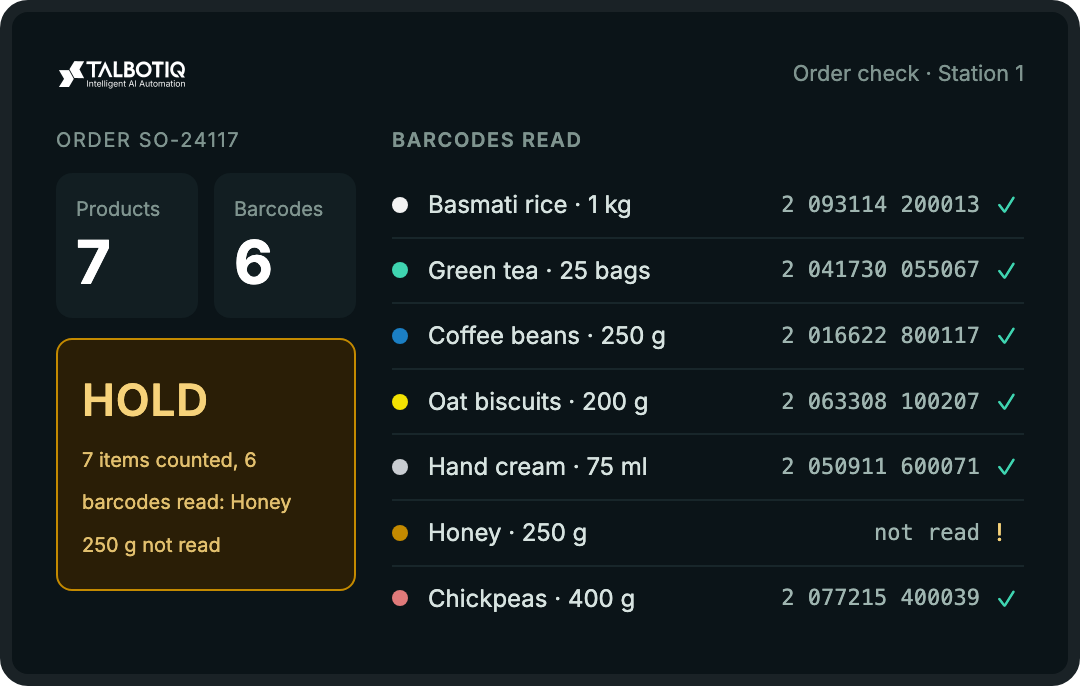
Two numbers that have to agree. Products counted and barcodes read sit side by side. Seven and seven passes. Seven and six does not, because something on the tray could not be identified.

A hold names the line. When a tray does not pass, the screen says which item is short, extra or unread. A person resolves it; the model does not overrule the order.

The next tray comes in on its own. The station resets as the tray moves on. Nothing to click between orders.

The station screen from the demo, order SO-24117. The held tray is an illustration of the same screen when one barcode is hidden.

Where the work happens

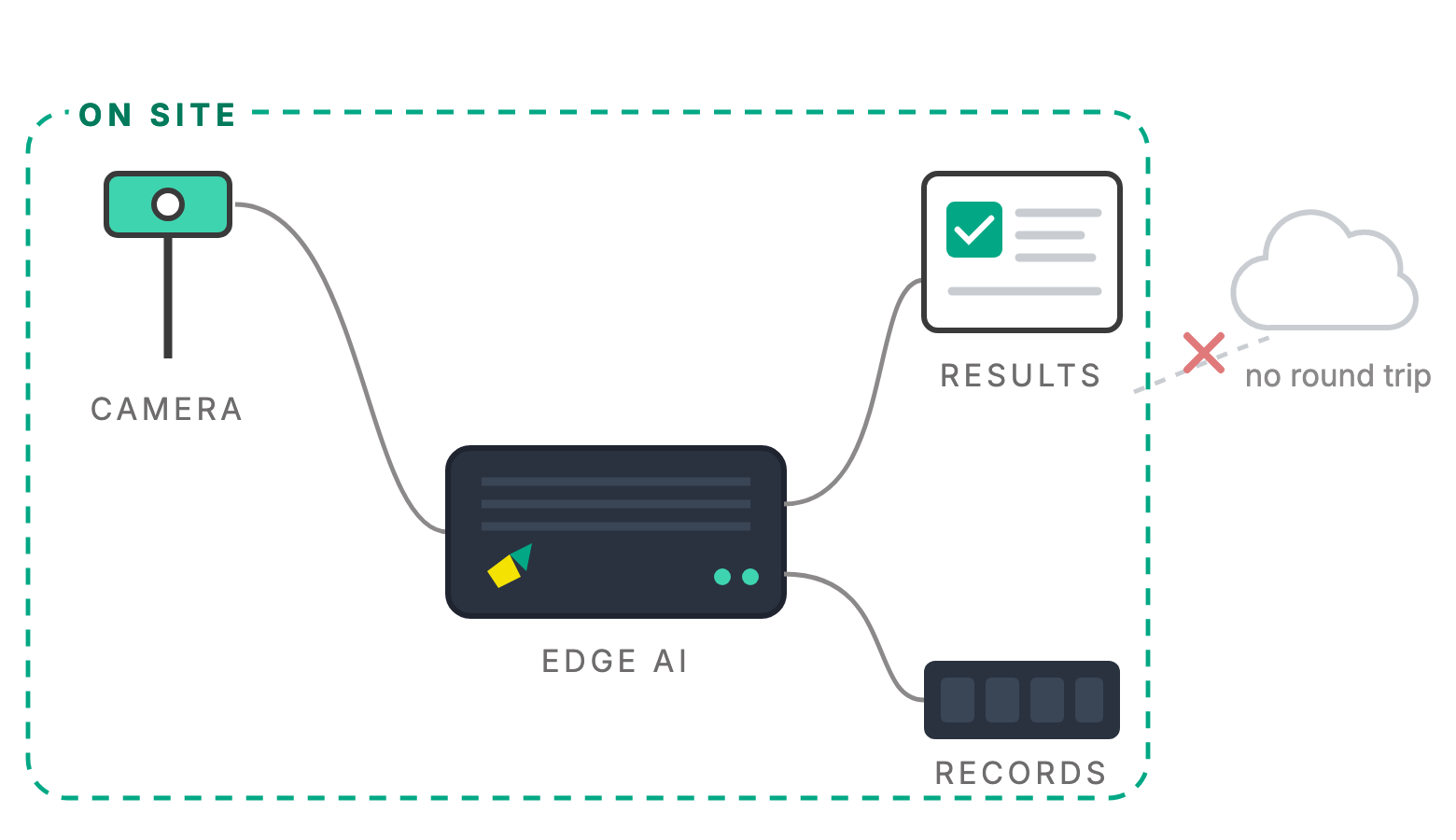
TalbotIQ's edge AI runs on a small computer, right where the work happens. The camera sends its picture a few metres, not to a data centre. Results come back straight away, and the data stays on site.

This is the same architecture as our Embedded Edge AI work: the model is layered onto hardware you already own, and the decision is made at the point of capture instead of after a round trip.

The decision happens now

A conveyor cannot wait on a round trip to another country. The answer is ready before the tray has finished moving.

The pictures stay on site

Photos of orders, staff and customers are processed where they are taken. What leaves, if anything, is the count and the result.

It keeps running offline

A warehouse floor or a basement kitchen is not a place with reliable connectivity. The station keeps checking trays through an outage.

Next, the restaurant

Four zones of a working restaurant, one model behind them. The approach that checks a tray is being trained on restaurant footage now. Below is every condition it is being trained for, listed in full, so you can see exactly what it will be asked to handle, including the awkward ones.

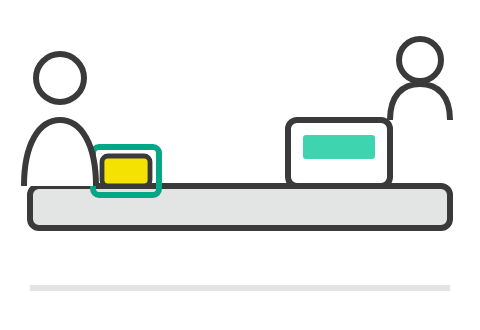
Billing counter

What crosses the counter

Customer present
Item placed on counter
Cashier serving
Counter empty, cashier working
Several people at once
Item partly in view
Hand covering an item
Built to give you

When the counter is busy, how long people wait to be served, and the items placed on it, counted the same way a tray is.

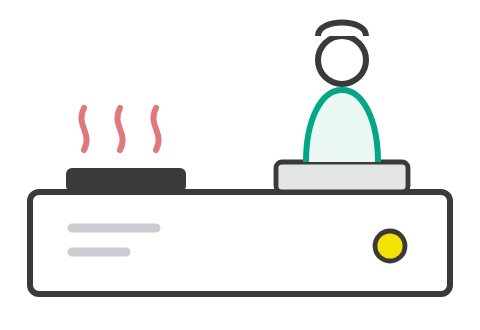
Kitchen

Who is at which station

Staff cooking
Movement in the kitchen
Nobody at a station
Busy peak time
Lighting that changes
Staff absence
Activity over a shift
Built to give you

Which stations are staffed and when, how long one stands empty, and how the kitchen actually behaves at the peak.

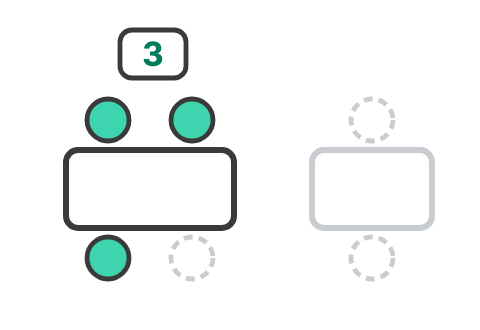
Dining area

Covers, tables and turns

Tables of 1, 2, 4 and 6
Customers arriving, leaving
Empty tables
Partly occupied tables
Standing customers
Pax counting
Table occupancy
Turnaround
Built to give you

How many covers each table seats, how full the room is through service, and how long a table takes to turn.

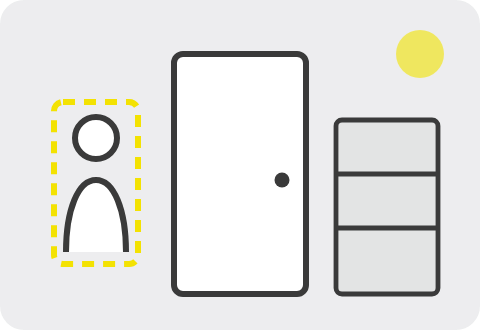
Storage & entry

Who came and went

Staff movement
Entry and exit
Someone waiting by the door
Low light, night time
Intrusion
Behaviour over time
Built to give you

Counts of entries and exits by hour, deliveries and stock-room visits, and an alert when someone is there out of hours.

Running
Warehouse tray QC

The model in the video: one photo per tray, items counted, barcodes read against the order, pass or hold.

In training
Restaurant, four zones

Being trained on the scenarios above. We will say when it is proven, and where, rather than before.

The hard cases, on purpose

A model trained only on clear, well-lit, one-thing-at-a-time pictures fails on the first busy Friday. These are in the training set deliberately, because they are what a real counter, kitchen and doorway look like.

A hand covering the item

At a till, the product is usually in someone’s hand when it matters. The model is taught to treat a covered item as present but unread, not to guess what is under the fingers.

An item only partly in view

Half off the edge of the tray, behind another product, at the corner of the frame. Counted when there is enough of it to be sure, flagged when there is not.

Several people at once

A queue at the counter, a group arriving together, a waiter leaning over a table. People overlap, and each still has to be counted once.

Tables of 1, 2, 4 and 6, and standing guests

A table for six with three people at it is partly occupied, not empty and not full. A guest standing to greet a friend is still a cover at that table.

Low light and night time

Stock rooms and entrances after closing are exactly where an intrusion alert matters, and exactly where the picture is darkest.

Kitchen light that changes

Flames, steam, extractor hoods, a door opened to the yard. The same station has to read the same way at the start of service and at the end.

The peak itself

Busy peak time is its own scenario, not an average of quiet ones. Movement is faster, stations swap hands and everything overlaps.

Nobody there, which is also an answer

An empty station or an empty counter while the cashier works behind it are scenarios too. Absence has to be recognised as reliably as presence.

What it measures

Each zone produces numbers you would otherwise estimate, or have someone stand and count.

Tray QC: every item counted, every barcode matched

Running today. For each tray: the number of products found, the number of barcodes read, each barcode matched to its order line, and a pass or a hold. The photo is kept with the result, so a disputed order can be checked against a picture of what actually left.

How many people are at each table, against how many it seats, through the whole service. Tables of one, two, four and six are trained separately, and a partly occupied table is reported as exactly that. The figure is a count of people, not a record of who they are.

From the moment guests sit to the moment they leave, and from then until the table is ready again. The two halves are reported apart, because a slow meal and a slow reset are different problems with different fixes.

Whether each station is staffed, when it stands empty and for how long, and how activity rises into the peak. Intended for planning rotas and spotting a station that is short at the same time every night, not for watching individuals.

When a customer is at the counter, when several are, how long they wait, and the items placed on the counter. The cashier working at an empty counter is recognised as its own state, so quiet time is not mistaken for nobody being there.

Entries and exits by hour at the door and the stock room, someone waiting by the door, and an alert when there is movement after closing. Low light and night time are part of training because that is when this matters most.

On cameras and people. Because the analysis runs at the point of capture, the result can leave the site without the footage having to. For headcount, occupancy and queue work, an aggregate is usually the whole requirement. What is lawful for a camera to do differs by premises and by country, so each deployment is scoped against where it is installed, with signage and retention agreed before anything is switched on.

And what it is not, plainly. It is not a cloud service: nothing needs to be uploaded for it to work. It does not replace your order or stock system; it checks against the order it is given. It does not overrule a person: a held tray goes to someone. It counts people; it does not need to know who they are. And the restaurant model is in training, not in service. The warehouse tray check is the one running in the video.

Frequently asked

No. The model runs on a small computer on site, next to the camera. What it produces, the counts, the barcodes read and the pass or hold, is what you choose to send anywhere. The pictures themselves stay where they were taken.

Often not. A site survey checks whether the cameras you already have see the tray, the counter or the room clearly enough. Where one does not, we say which position or which camera is needed, and why.

It does not pass. The station screen shows which line is short, extra or unread, and the tray is held for a person to resolve. The model never overrides the order and never passes a tray it could not fully read.

The item is still counted if enough of it is visible, but an unread barcode means the products and barcodes numbers no longer agree, so the tray is held. Turning the item over and letting the tray pass under the camera again is usually all it takes.

Nothing changes at the station. The camera, the model and the screen are all on site, so trays keep being checked. Anything that is sent elsewhere, such as a daily summary, catches up when the connection returns.

Not yet. The warehouse tray check is the model shown running in the video. The restaurant model is being trained on the four zones and the difficult conditions listed on this page. Book a site survey if you want your restaurant to be one of the places it is proven in.

That is one of the things it is being trained for: tables of one, two, four and six, partly occupied tables and guests who are standing rather than seated. The output is a number per table, not an identity.

Quote-based, after a site survey, because the price depends on how many cameras and stations there are and whether the existing hardware can be used. There is no public price list.

See it on your trays

A site survey looks at your line or your restaurant, the cameras you already have, and where the computer would sit. You get a straight answer on what it would check and what it would not.